

Why Your RM500K System Still Runs on Excel
You spent half a million ringgit on an enterprise system. Your staff still emails spreadsheets every Monday morning. Here's why, and what actually works instead.
Heartbyte Team
Engineering & Technology
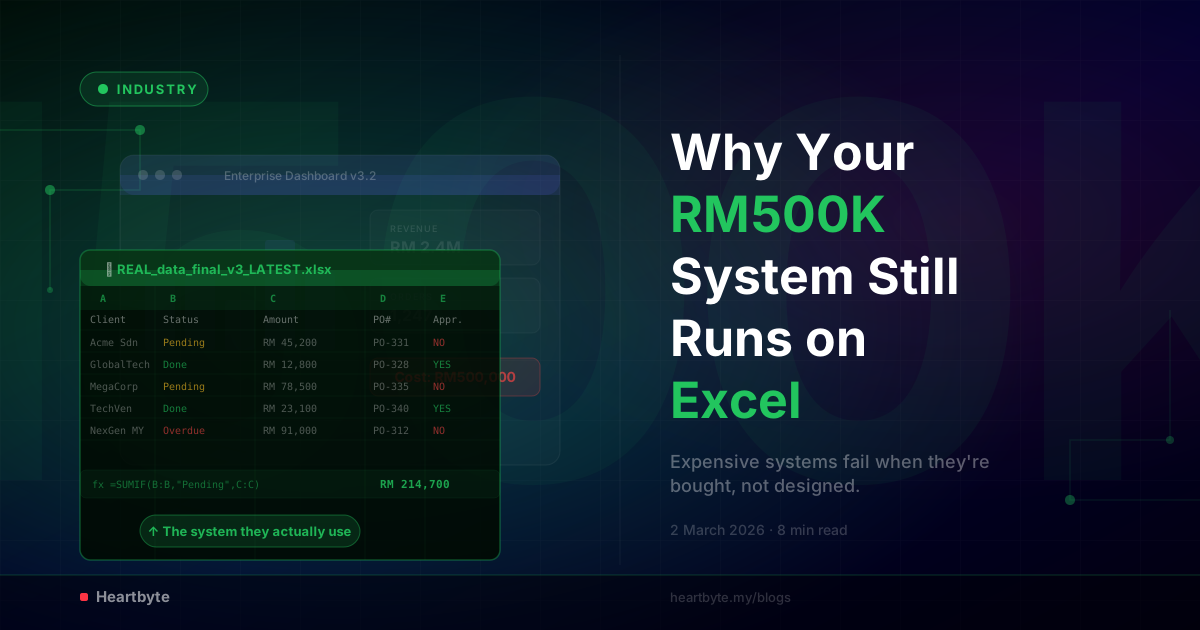
You approved the budget. Half a million ringgit, maybe more, for a proper enterprise system: ERP, CRM, dashboards, automated workflows. The vendor's pitch was polished and the board was sold. IT signed off, and the project kicked off with a town hall and a Gantt chart.
Eighteen months later, the system is live. And every Monday morning, your operations manager still emails an Excel file to three department heads. Your sales team tracks their pipeline in Google Sheets. Finance runs month-end in a spreadsheet they've kept going since 2019.
The RM500K system is running. But so is Excel. And if you're honest with yourself, Excel is winning.
This is a design problem dressed up as a tech problem. The system was bought, not designed. That difference is everything.
The System Was Bought, Not Designed
Most enterprise system buys in Malaysia follow the same pattern. A vendor gives a slick demo. Management likes the brand name, the feature list, the big-name clients. The bosses make the call. A contract gets signed.
At no point does anyone sit down with the people who'll use the system every day and ask: how do you actually work?
Nobody maps the processes. Nobody watches how data really moves between departments, or learns the workarounds, the informal approvals, and the stuff that only lives in people's heads but keeps the place running.
So the system gets picked for what it can do on paper, not what the business needs it to do in real life.
Three reasons enterprise systems fail before they launch:
Bought for the brand — the system was chosen for its name and the sales pitch, not for how well it fits the way you actually run things.
No process mapping — nobody wrote down how the work really flows before setting up the system to handle it.
Users left out — the people who use the system every day weren't asked anything until training day.
You can guess the result. The system doesn't match how people work. It's clunky where they need speed and stiff where they need to bend the rules, and it takes six clicks to do something that was one formula in Excel. So people go back to what works and open a spreadsheet.
Customization That Digitizes Inefficiency
When staff complain that the new system doesn't work the way they need, the vendor offers customization. That sounds like progress. It usually isn't.
Here's what normally happens. Someone from the business says "make it follow exactly how we do things now." The vendor nods, writes down the current process, however messy or pointless it is, and rebuilds it inside the new system.
"We took a process that involved three Excel files, two email approvals, and a WhatsApp message to the boss — and built all of that into SAP. Congratulations: you now have a RM500K digital version of a broken process."
This is the customization trap. The vendor copies your old forms, your manual approval chains, and your old Excel logic exactly as they are, instead of asking whether those steps should even exist.
Nobody stops to ask: why does this approval need three signatures? No one asks whether the five-step procurement flow could be two steps with the right design, or whether the monthly report that takes two days to put together has to take that long. It only takes that long because it was built around what Excel could do, not what the business needs.
The vendor has no reason to simplify. They get paid to build what you ask for, and what you asked for was "make it work like it works now, but digital." So you get a very expensive photocopy of the old way of doing things.
Every Department Wants Their Own Version
Then it gets worse. Once the system is live and the changes start, every department pulls in a different direction.
Sales wants a pipeline view with their own deal stages, custom fields for client relationships, and a dashboard that shows conversion rates the way their VP likes to see them. Finance wants strict approval steps, audit trails for everything, and reports that match their existing templates. Operations wants scheduling tools, inventory views, and live status boards that match how the warehouse actually runs.
Each department is right about what they need. But the system was never built to serve all of them at once. So the changes start clashing. The data gets stretched. The same "customer" means one thing in Sales and something else in Finance. Reports break because one department changed a field another department relies on.
How departments fragment the system:
Sales adds 15 custom fields the system wasn't built for, overloads the CRM module, then exports everything to Excel for their "real" forecasting.
Finance builds strict approval chains that slow everything down, then keeps a separate Excel tracker because the system's reporting is "too slow."
Operations finds the system can't handle their live scheduling, builds workarounds in Google Sheets, and updates the "official" system after the fact.
And so Excel becomes the common ground. It's the one tool every department trusts, knows, and can bend to its will without filing a change request. The RM500K system ends up being the official record that nobody actually records in first.
The Real Enemy Is Customization Without Governance
Customization itself isn't the problem. Every business has real, specific needs. A logistics company in Johor works differently from a fintech startup in KL, and off-the-shelf systems rarely survive contact with reality.
The problem is customization with no rules. Without a clear plan for what gets changed, what stays standard, and who decides, you end up with a mess that just looks like configuration.
Smart customization
- ✓ Shapes the system around what gives you a real edge
- ✓ Cuts out steps that don't need to be there
- ✓ Sets up shared data that every department agrees on
- ✓ Gets checked by someone with the full picture before it's built
Bad customization
- ✗ Protects old habits so nobody has to change
- ✗ Adds complexity to avoid retraining staff
- ✗ Walls off each department inside one shared system
- ✗ Follows whoever shouts loudest, not what makes sense
Smart customization sets your business apart. Bad customization just locks your worst habits into expensive software. The difference comes down to who's in charge, not budget or technology. Someone has to have the power to say: "No, we're not copying that broken process. We're fixing it."
What Actually Works
If you've seen your own company in the paragraphs above, the fix isn't another system. It's a different way of thinking about technology and process.
Map processes before buying anything
Sit with every department and watch how they really work, not how they say they work. Write down the real flow of data, decisions, and approvals. Find the workarounds, the Excel files, and the WhatsApp groups that keep things moving. Only then should you look at what system fits.
Involve users from day one
The people who'll use the system eight hours a day need to be in the room when it's being designed, not just trained on it later. What they tell you is the biggest sign of whether the system gets used or ignored.
Establish governance before customization
Set clear rules: what gets changed, what stays standard, and who signs off. Every change request should answer one question. Does this add real value, or does it just protect an old habit?
Design for how work should flow, not how it does today
A new system is a chance to fix broken processes, not set them in stone. If your current process needs a manager to approve a RM50 purchase order, maybe the system should drop that step instead of automating it.
Build incrementally, not all at once
Roll out one module, get it right, and learn from how people actually use it before building the next one. Going step by step catches problems early and builds real trust, instead of dropping one huge system on a company that isn't ready for it.
The Spreadsheet Isn't the Problem
When your staff opens Excel instead of your enterprise system, they're not being difficult. They're being smart. They're picking the tool that actually helps them do the job over the one picked for them by someone who doesn't do that job.
The spreadsheet was never the disease. It's a symptom of a system that was bought for its brand, set up to copy broken processes, pulled apart by competing department demands, and rolled out with nobody in charge to hold it together.
Fix the disease, and the spreadsheets will close themselves.
Your next system should be designed around how your business works — not how a vendor thinks it should.
We build software that fits how you work, not the other way around. We start with your process and your people, and there are no RM500K surprises at the end.
Talk to Us About Your SystemHeartbyte Team
Heartbyte is a bespoke software development company based in Malaysia. We build web, mobile, and custom software for ambitious businesses — with 15+ years of combined engineering experience and zero change request fees, guaranteed.